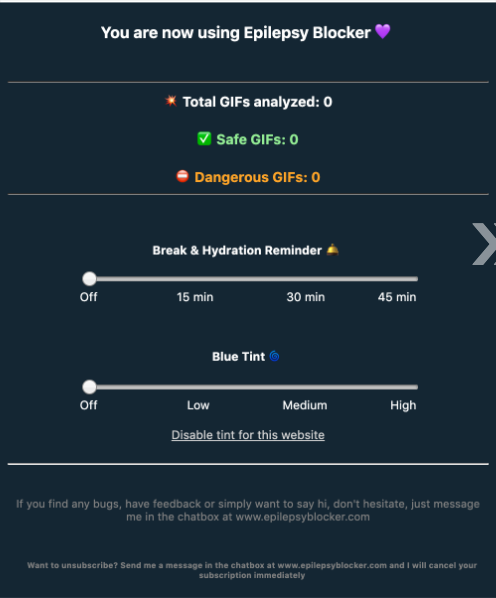
After subscribing, you will get your personal code, which you will use to follow the instructions below
Instructions
Desktop
1) Install the chrome or firefox extension
Firefox extension Chrome extension2) Click on the extension in the top-right corner
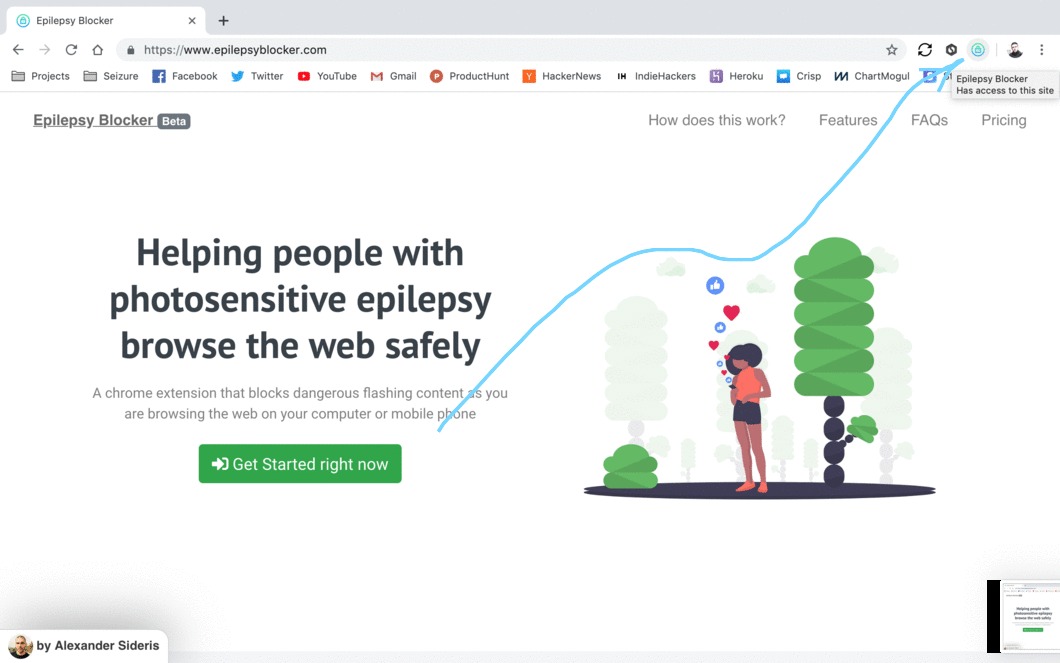
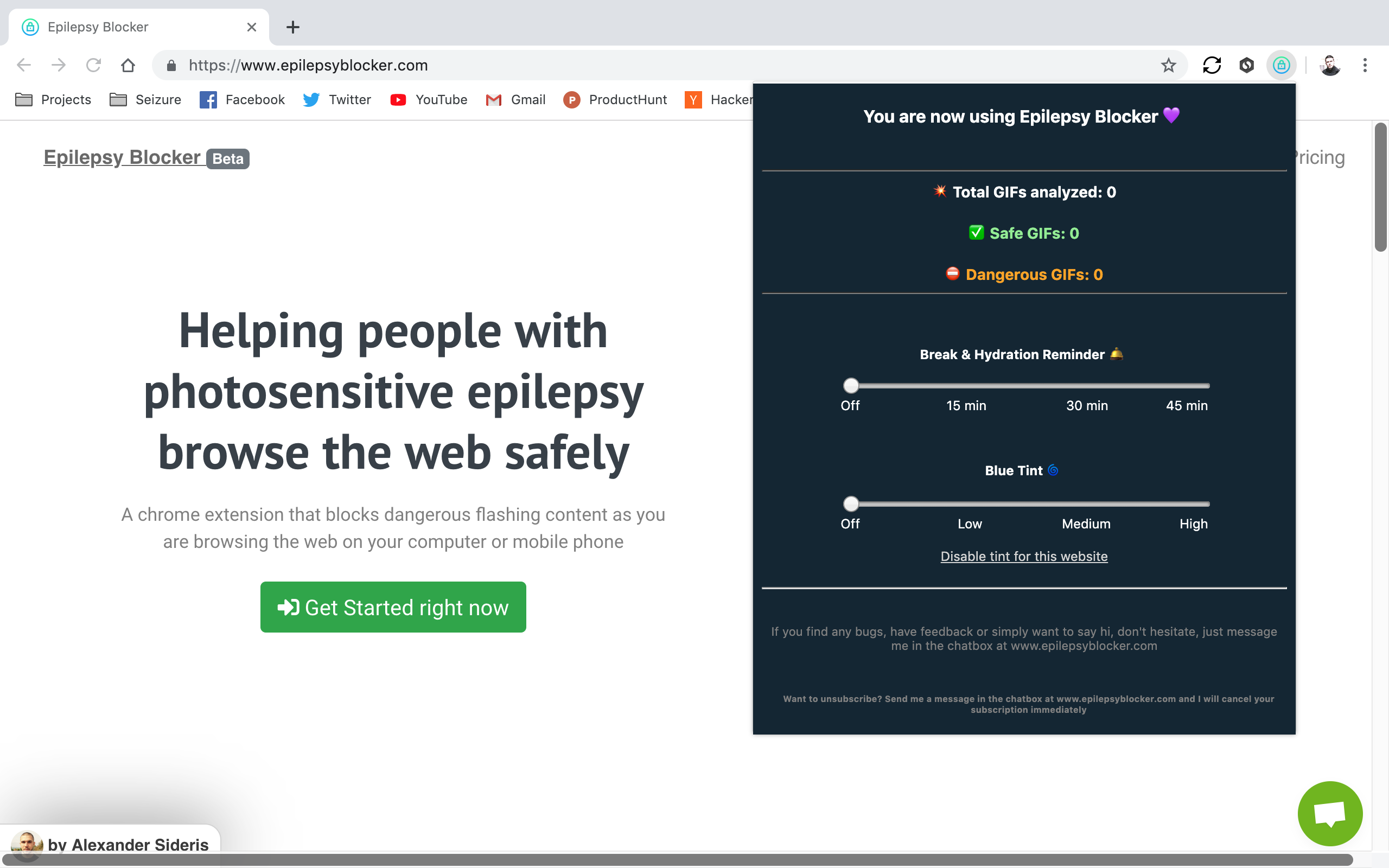
3) If everything went perfectly, you should see something like the image below
Mobile (Android)
1) Install Firefox on your Android device
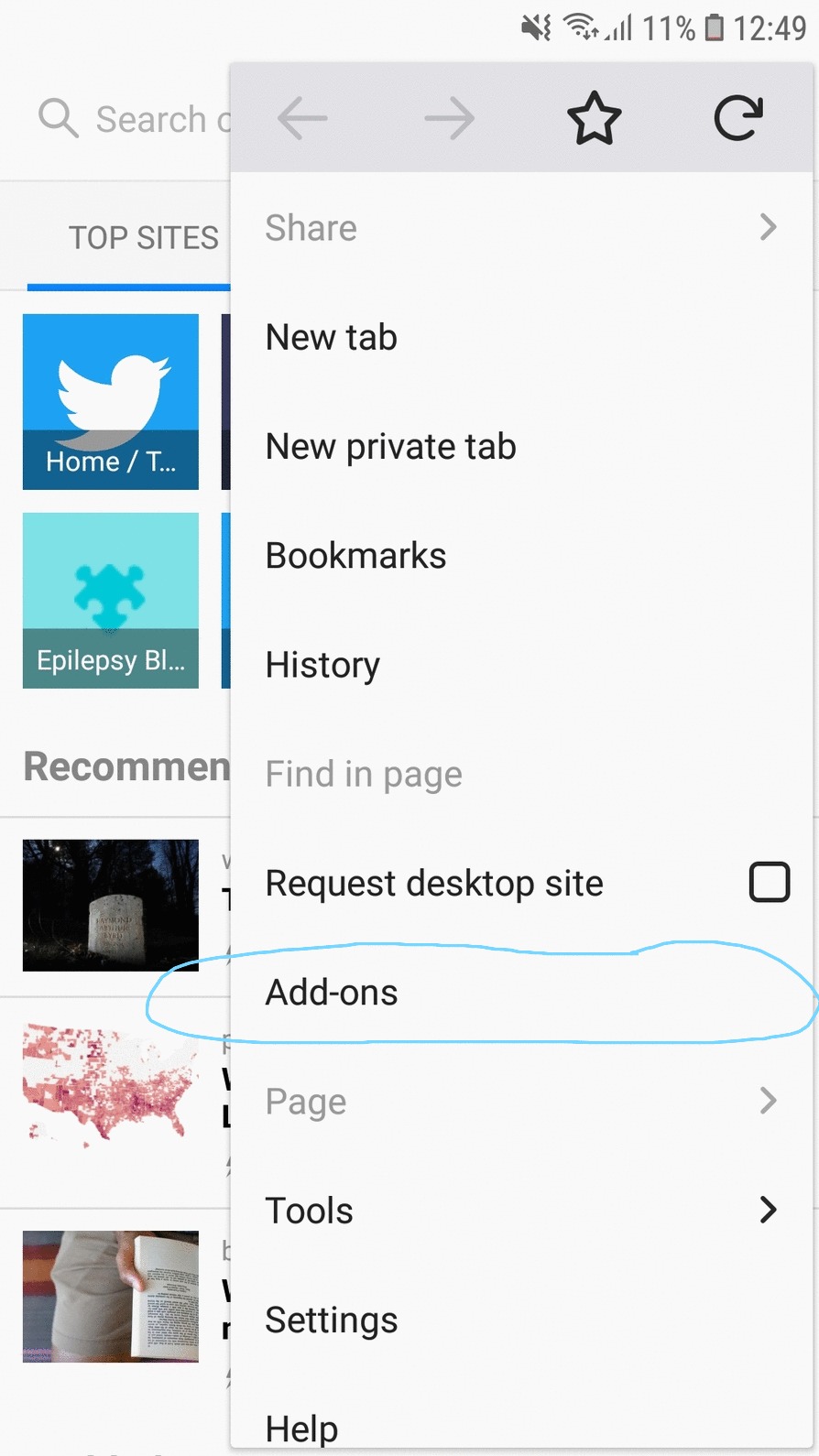
Firefox browser app2) Launch Firefox and tap the menu button (either below the screen on some devices or at the top-right corner of the browser)
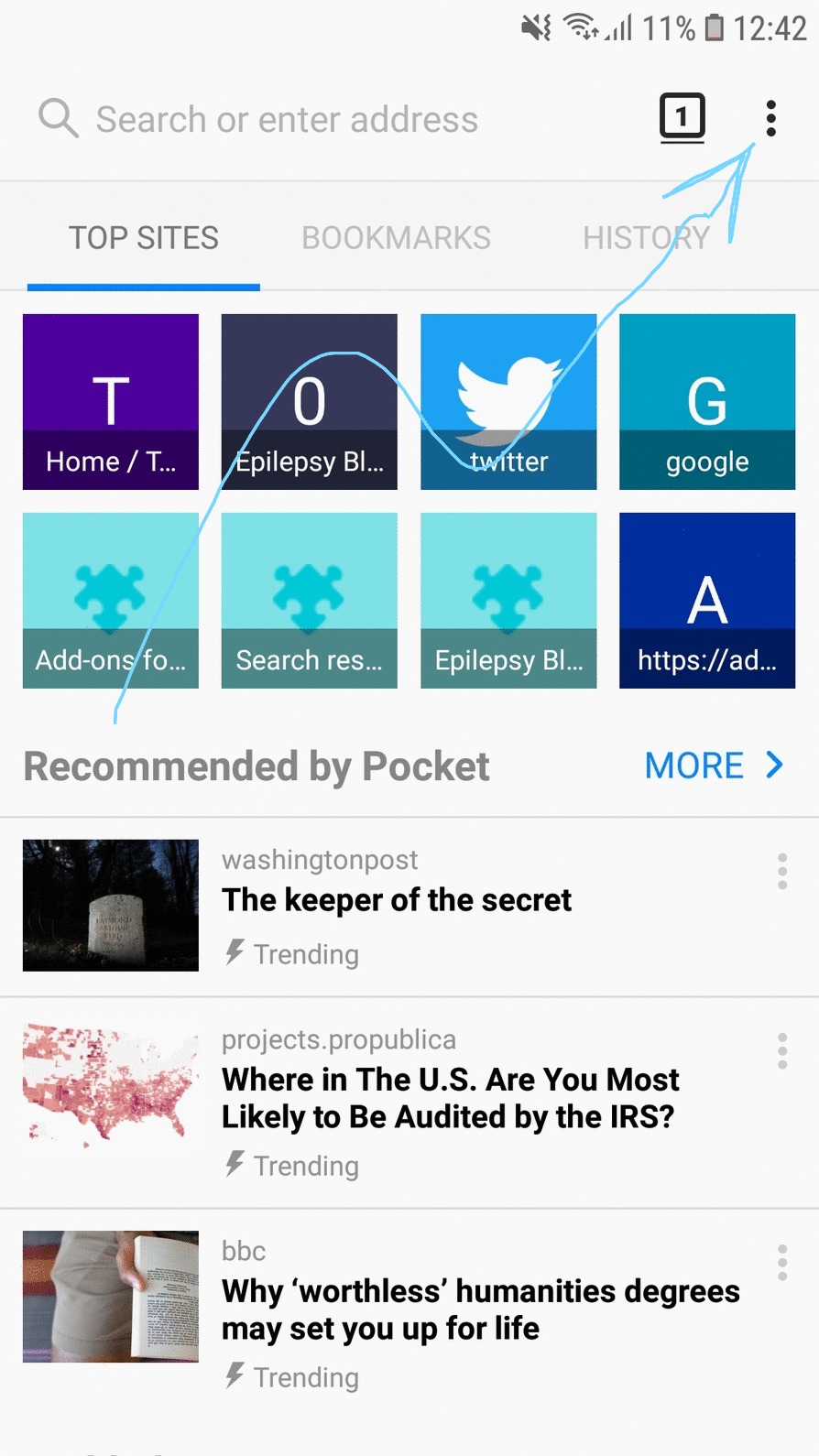
3) Tap the 'Add-ons' menu item
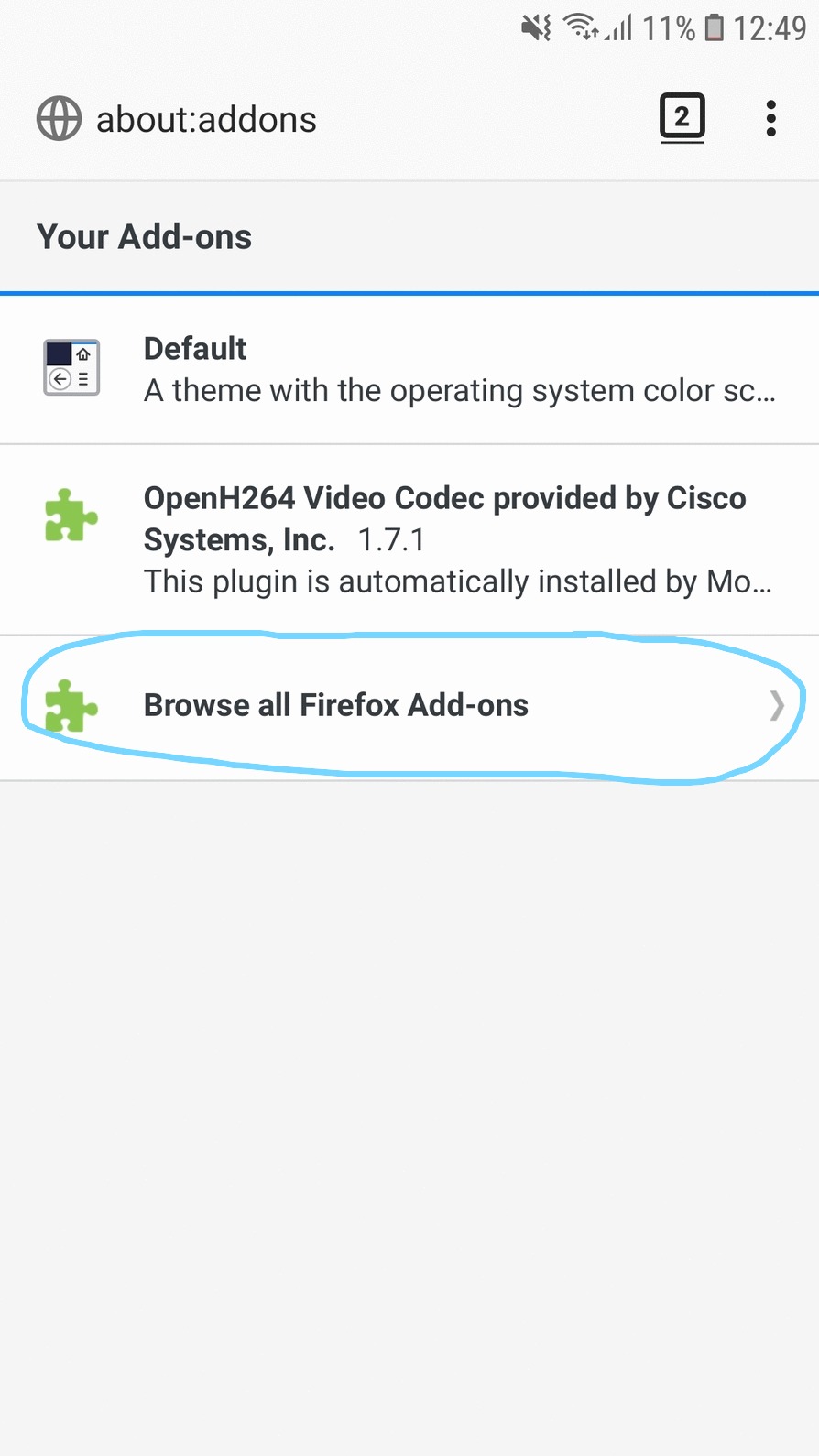
4) Tap the 'Browse all Firefox Add-ons' menu item
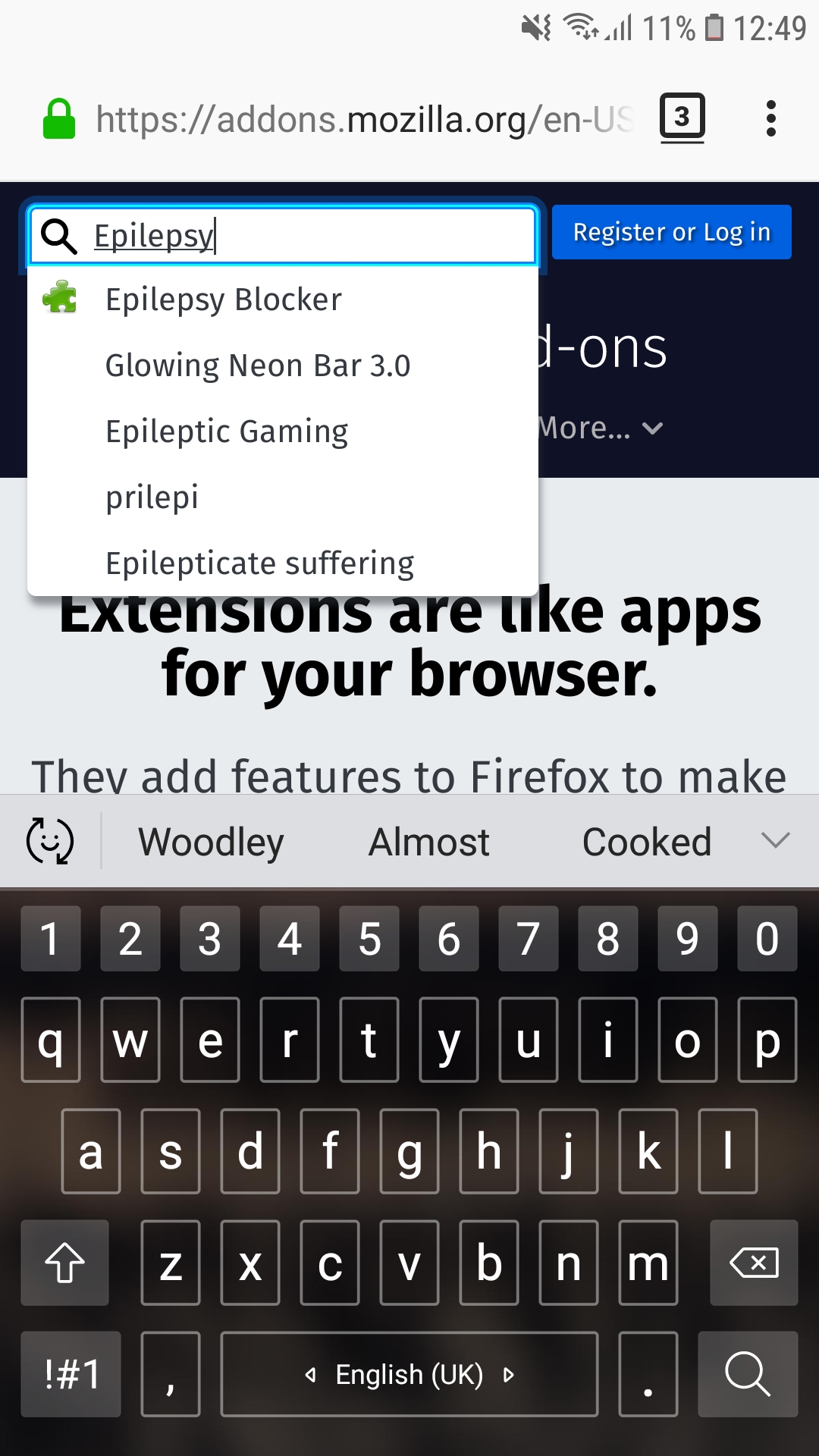
5) Search for Epilepsy Blocker
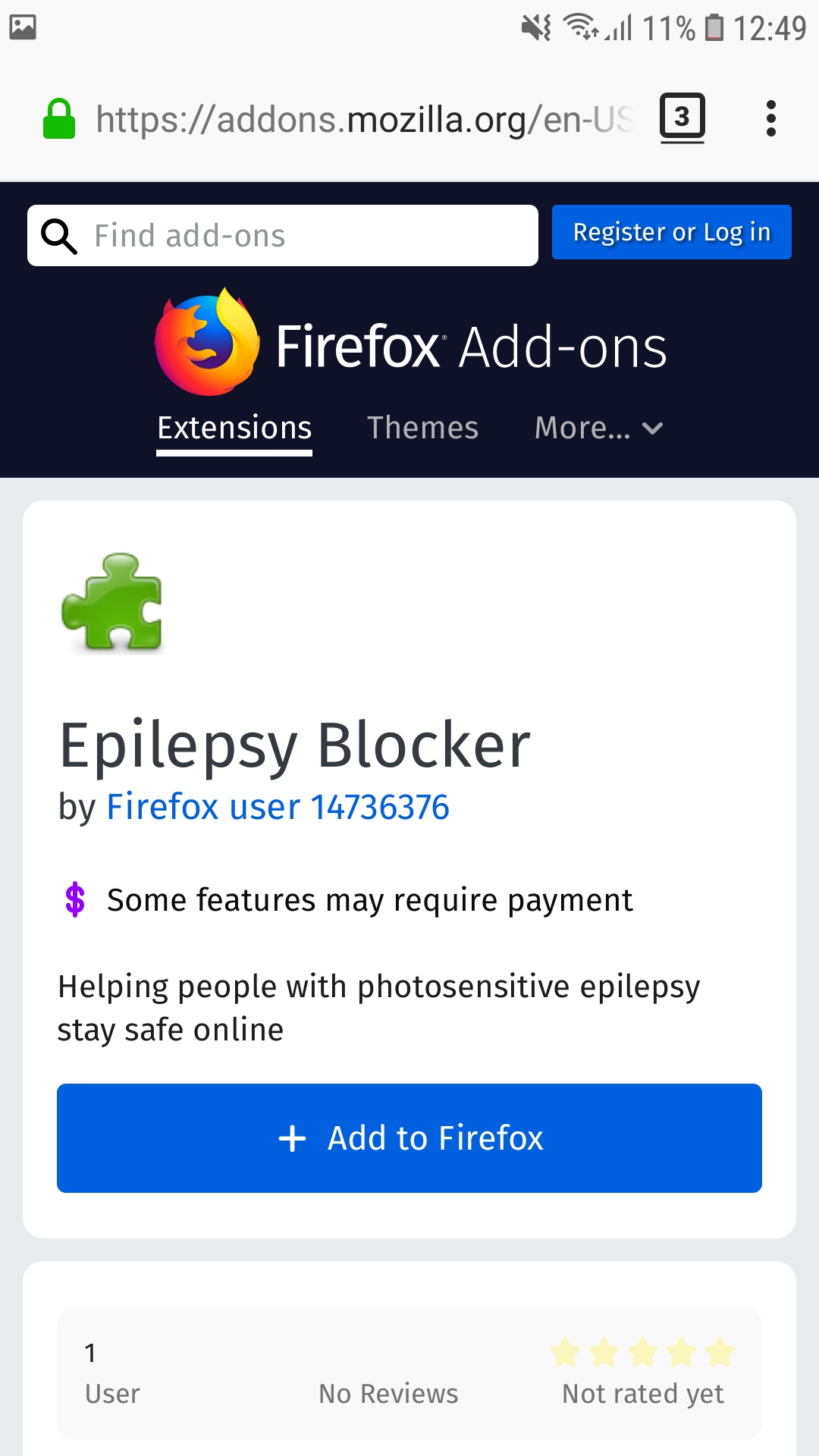
6) Find it and tap on 'Add to firefox'
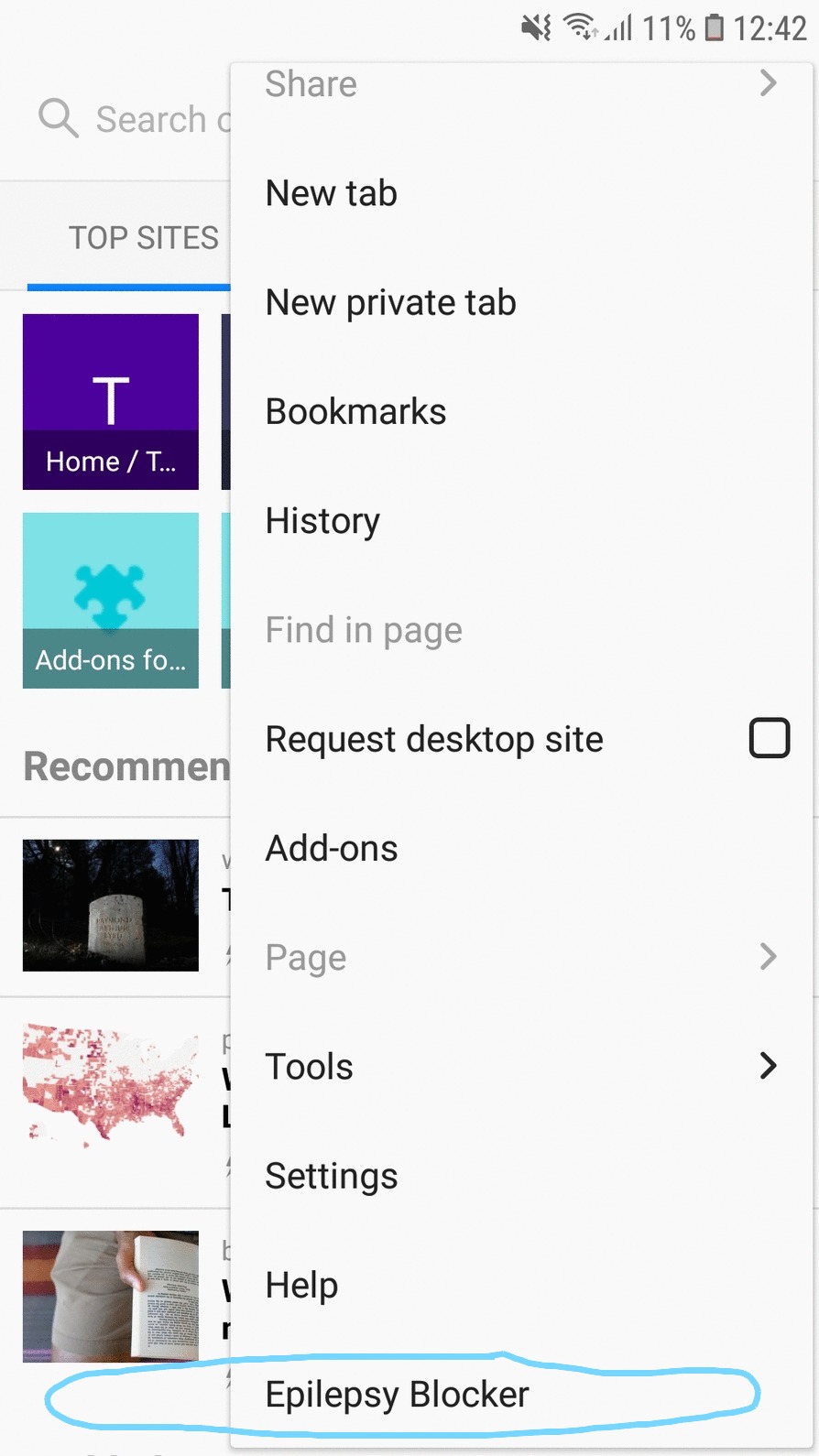
7) Tap the menu button again (either below the screen on some devices or at the top-right corner of the browser)
8) You should see Epilepsy Blocker at the bottom, tap on it
9) If everything went perfectly, you should see something like the image below